Thining about creating a video to showcase your holiday, but don't want it to feel like a chore? You are not alone. The good news that you don't need a massive production software or spend hours on editing, as long as you have the right tool.
Read on our step-by-step guide to DIY holiday video creation, complete with best holiday creation tools in the market, top-performing templates, and tips to maximize your reach across all social media. Without further ado, let's get started.
Table of Content


How to Make a Holiday Video Online for Free
Before jumping into the steps, you will need the right tool for the job. We take FlexClip as an example to show you how to create holiday video because of AI-features, pre-made customizable holiday templates, as well as drag-and-drop controls.
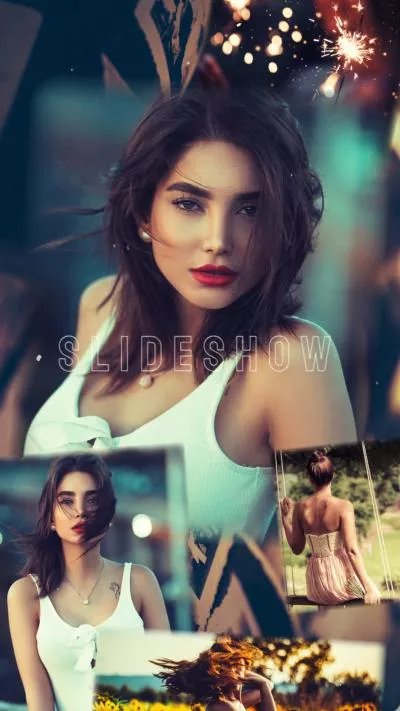
To be specific, FlexClip offers around 1500 customizable holiday video templates. Whether you want a vintage slideshow, a cinematic vlog, or a romantic holiday love story video, you can always find the right template, upload and replace the resources with your photos using AI, and quickly finish a video instantly. No editing skill is needed.


Manual tweak is what makes your holiday video different from others. FlexClip is the editor for both professionals as well as beginners. Anyone can easily catch up with the basic tools like trimming, spliting, transition. As for advanced tools like motion tracking, background removal, you can achieve satisfying results within several clicks.
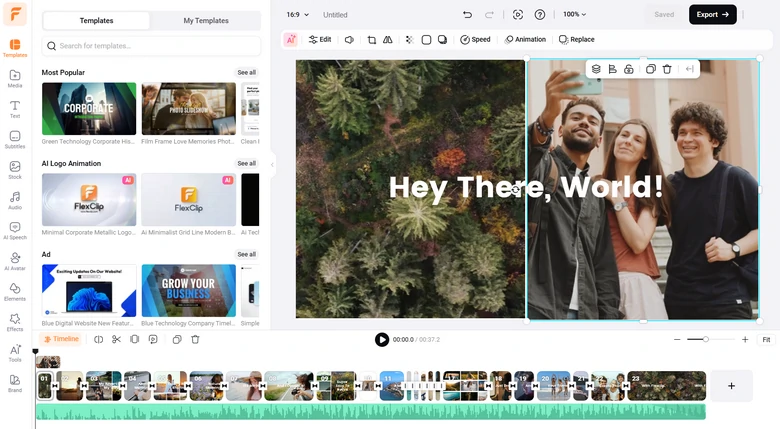
FlexClip Holiday Video Maker Editing Tools Overview
In the meanwhile, FlexClip polishes your holiday photos. We are not talking about simple filters, but the most advanced AI models to modify any details you like, for instance, removing photobombers, adjusting poses, and mixing multiple photos. Use FlexClip's AI Photo Editor to polish your holiday video using simple prompts.
FlexClip AI Photo Editor Overview
How to Create a Holiday Video
Access FlexClip's editor, upload photos, videos, music from a local folder, mobile device, or cloud services to FlexClip's Media section.
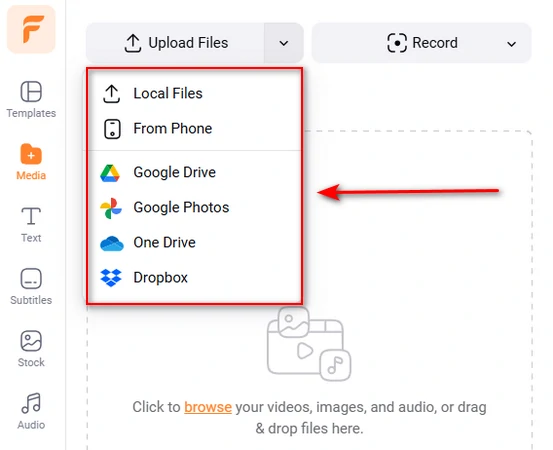
Upload Photo/Video to FlexClip
Click the Add as Scene button to apply the photo to FlexClip's timeline. If necessary, you can overlay multiple photos to one scene by clicking the Add as Layer button.
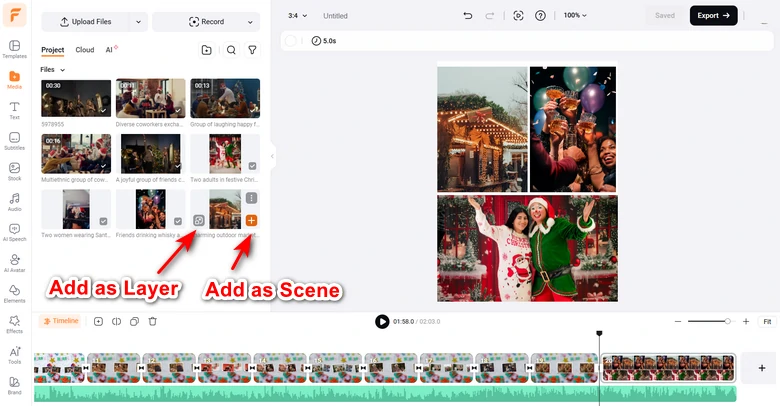
Apply Photo/Video to FlexClip Timeline
The default photo duration is 5 second when added to FlexClip's timeline. You can drag the slider to adjust the duration. It is the same process if you want to trim uploaded video clips.
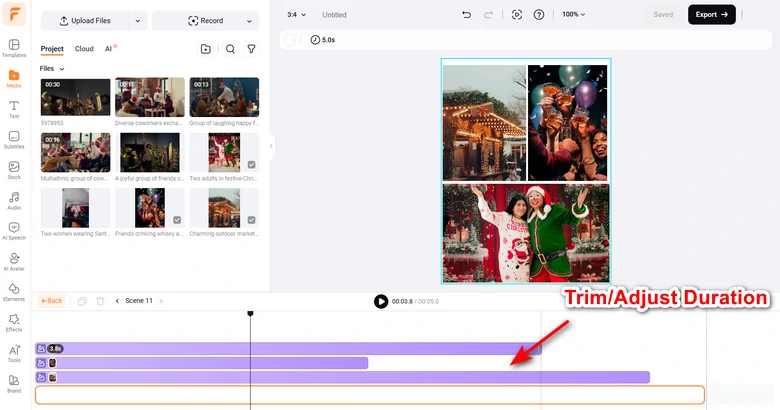
Trim Video Length/Adjust Video Duration
Hard switch between the scenes may give audiences unpleasant feeling. That's why you will need professional transitions. Click on the small icon between the scenes, pick a transition to make scenes go smoothly. You can even adjust the transition duration and direction.
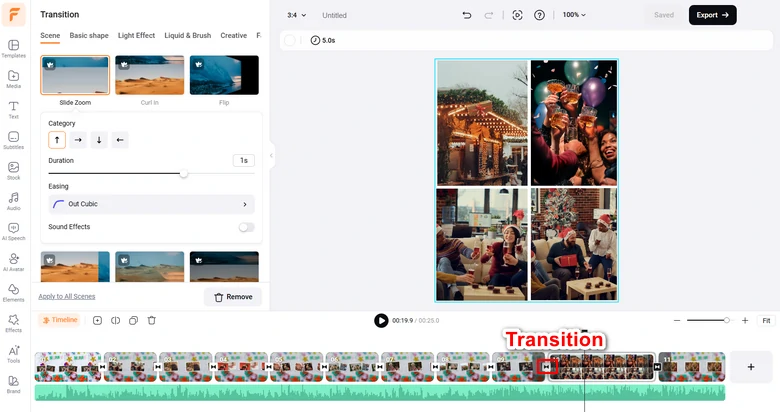
Add Transition Between the Scenes
It is time to show how you felt and what you saw on holiday. Switch to the Text part, enter any text with the right font, size, color.
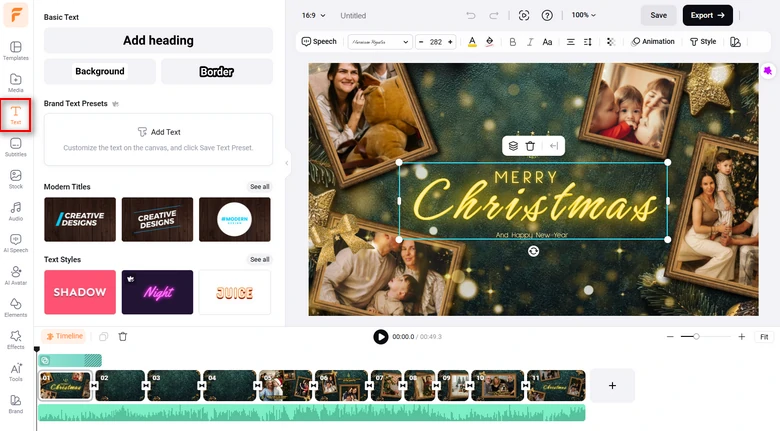
Add Text to Video
Do anything you like to make each scene eye-pleasing, for instance, you can bring in a frame to the photo, add dynamic animation to photo, apply curve speed to the video, etc. Click on any elements in the project, and all available editing tools will pop up above the preview window. Use them and apply any changes you like.
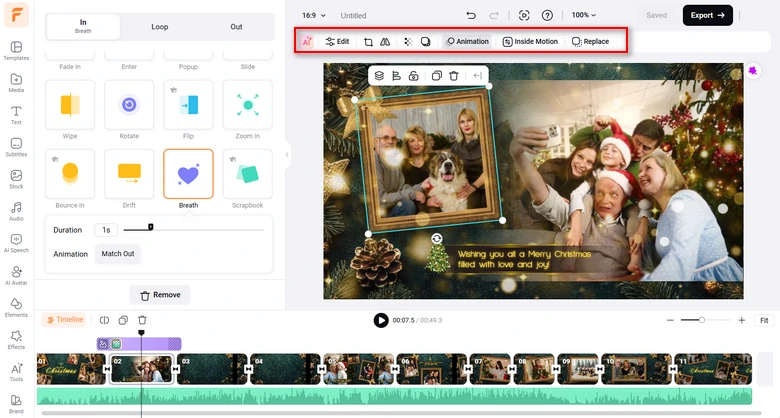
Polish Each Scene
How to Customize a FlexClip Holiday Video Template Using AI
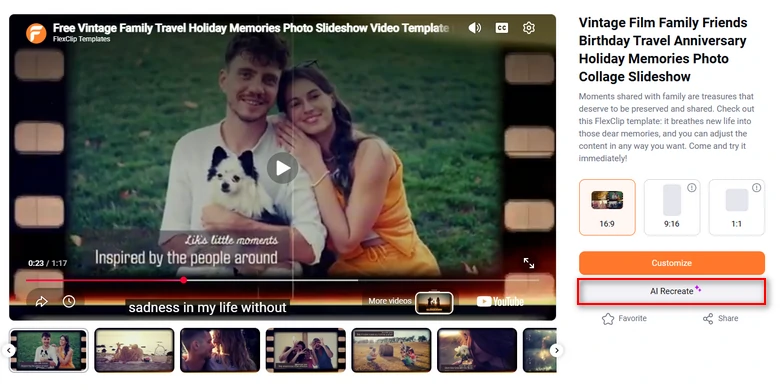
Pick a Template
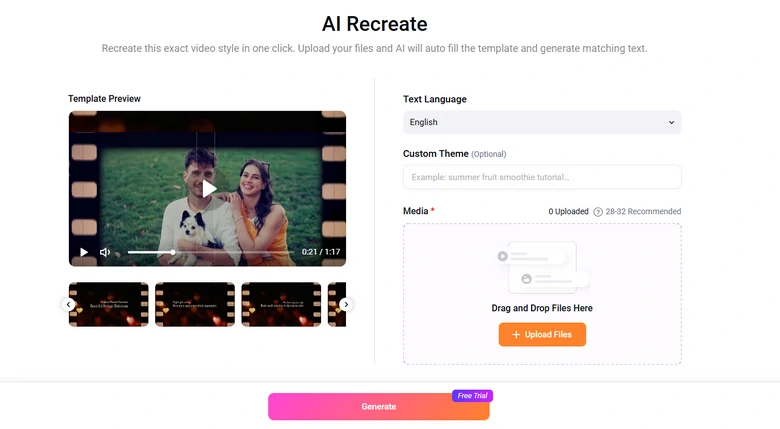
AI Recreate Template
Ideas on Making Fun Holiday Videos
For each of the ideas to make fun holiday videos, take a few moments to choose what suits you most.
Holiday Greetings & Wishes
To make a simple holiday video, you may just contain some holiday greetings and wishes on the video. Think of the sweetest words and add them to the video with the greatest sincerity.
Stand at Other People’s Ground
Telling last year’s achievements of yourself in holiday video? No! Showing how much you thank others for their kind help? Check! Holiday videos are doomed to be shown to others. It would make others uncomfortable if you keep talking about yourself.
Make Holiday Videos Fun
One person may find reading fun while others may think reading is boring. It is hard to find one thing that all people like, but you can know what your friend is interested in.
Frequently Asked Questions
1. How long should a holiday video be?
It really depends on the platform and your target audience. For social media, 15-30 seconds works best to keep retention high and hook viewers quickly. If you want to create holiday greeting cards or recaps, then 1-2 minutes is ideal.
2. Can I use popular holiday songs in my video without copyright issues?
If you are posting on social media, you can use trending holiday songs directly through the app's music library. However, if you are making a business video or YouTube post, you must use royalty-free music. By the way, all music tracks on FlexClip are licensed tracks. Use them for free!
3. How do I fix bad lighting or dark photos from indoor holiday parties?
Indoor holiday lighting can make videos look dark, grainy, or yellow. You can fix this by using FlexClip's AI Photo Editor tool to boost exposure, lower the warmth or apply mild denoise to smooth out the photog grain.




FlexClip AI Video Maker
Reach professional-quality videos faster with easy editing tools, templates, and smart AI.
Start Now for Free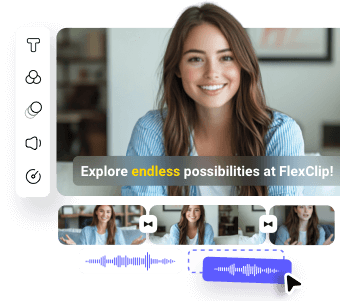
Hot & Trending
-
Best Ways to Find Music in YouTube Videos
-
Instagram Story Video Quality Bad After Upload? Fix It!
-
How to Repost Video on TikTok & How to Remove TikTok Repost
-

Improve Video Quality Online: 3 AI Video Quality Enhancers You Can't Miss
-
4K Convert to HD 1080p without Watermark: Best 4k Video Converters
-
Best 8 Free Video Editors - No Download Required
-
Top 13 Birthday Video Makers with Music and Effects Free
-
How to Search Filters on TikTok & Use a Filter You See - TikTok Filter Guide